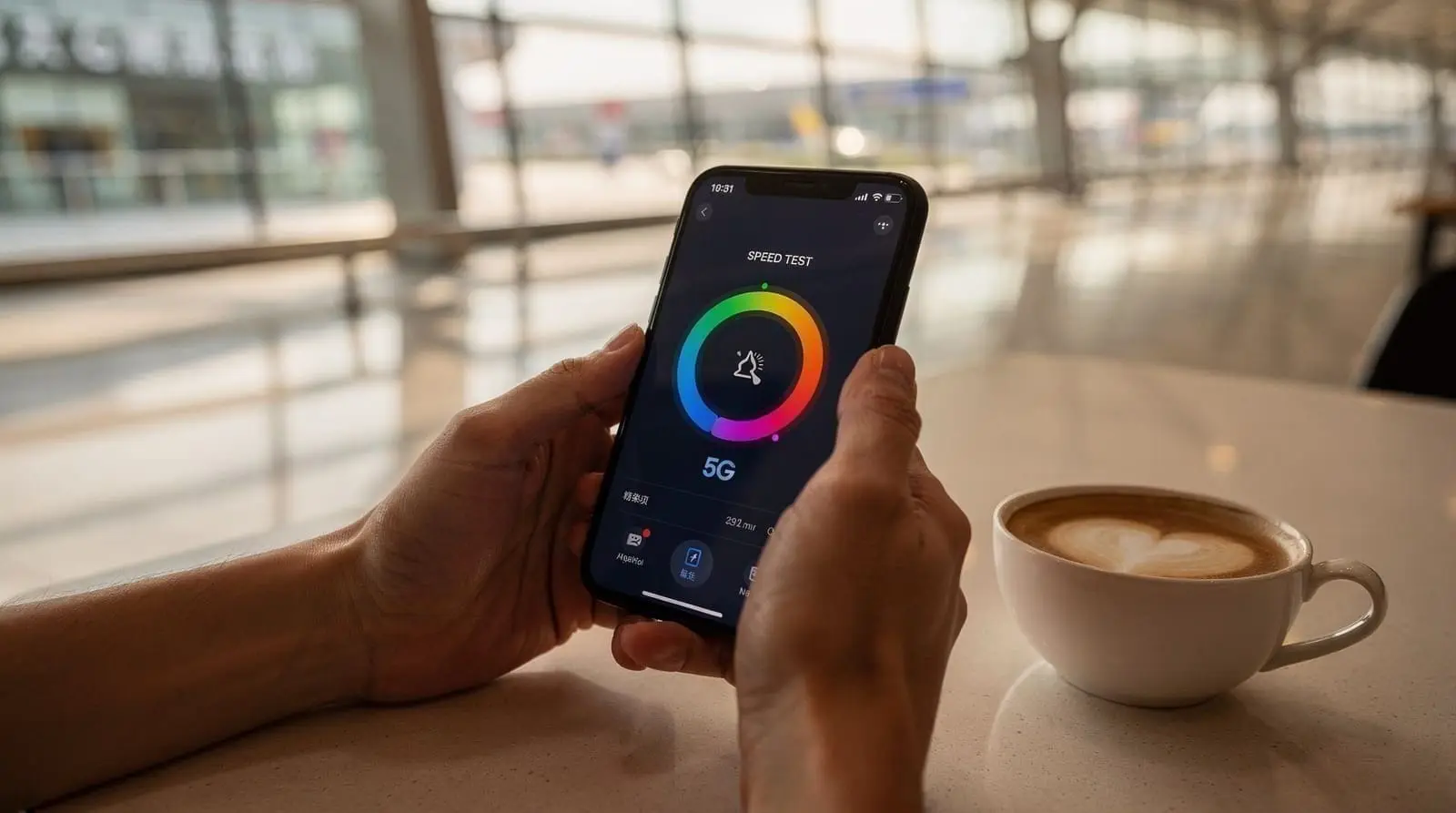
eSIM and VPN in China: how to access the internet in 2026
How do I access Google and WhatsApp in China?
Use a travel eSIM — international roaming legally bypasses the Great Firewall via roaming gateways. Costs from USD 1/GB. VPNs work but less reliably, and must be installed before arrival. Hong Kong and Macau have no firewall at all.
Most visitors to Shenzhen are caught off guard by this. They land, turn off airplane mode, open Google Maps to navigate to their hotel — and nothing loads. No Google. No WhatsApp. No Instagram. No Gmail. The Great Firewall is not a theoretical problem; it is immediate and total.
This guide tells you exactly what is blocked, why travel eSIMs are the most reliable solution for tourists, how VPNs actually perform in 2026, and what you can do right now — before you board your flight — to make sure you have working internet from the moment you clear customs. For payment setup (WeChat Pay, Alipay), see the companion payments guide for foreigners.
| Best solution | Travel eSIM (legal, reliable, from USD 1) |
| Backup | Mainland-tested VPN, installed before arrival |
| No workaround needed | Hong Kong, Macau — no firewall at all |
| Set up before you fly | eSIM, VPN, offline maps, WeChat/Alipay card linking |
| Cost | USD 4–15 covers a typical 5–7 day trip |
What the Great Firewall actually blocks
The Great Firewall (officially the Golden Shield Project) is China’s national internet filtering system. In Shenzhen and across mainland China, the following are blocked:
Google ecosystem: Google Search, Gmail, Google Maps, Google Drive, YouTube, Google Translate, Google Play Store, Chrome syncing
Meta platforms: Facebook, Instagram, WhatsApp, Messenger, Threads
Social media: Twitter/X, Reddit, Pinterest, Snapchat, Telegram, Signal
News and media: BBC News, New York Times, The Guardian, Reuters, most major Western news sites
Other services: Dropbox, Slack (intermittent), many VPN provider websites, most Android app update servers
What is NOT blocked: WeChat, Alipay, Didi, Baidu Maps, Dianping (restaurant reviews), TikTok’s Chinese version (Douyin), BiliBili, NetEase, Taobao. These Chinese-market alternatives work fine without any workaround. See the Shenzhen travel guide for how locals use these services day-to-day.
The firewall operates at the network level — it does not matter what phone you have or which browser you use. If your data is routing through a mainland Chinese carrier, you are behind the wall.
Hong Kong and Macau: no firewall
This is worth saying clearly: Hong Kong and Macau operate under “one country, two systems” and have no Great Firewall. Google, WhatsApp, Instagram — everything works normally there.
If your trip includes time in Hong Kong and you are struggling with connectivity in Shenzhen, crossing the border can serve as a brief reset for downloads, updates, and anything that requires unfettered access. The Futian or Lo Wu crossings take 30–60 minutes round trip from central Shenzhen.
This matters for the Shenzhen and Hong Kong 5-day itinerary and any Pearl River Delta loop that includes HK or Macau: your connectivity situation changes at each border.
Travel eSIM: the reliable solution for tourists
A travel eSIM is a digital SIM card downloaded to your phone as a QR code. It connects your phone to an international roaming gateway — typically based in Hong Kong or Singapore — rather than a mainland Chinese carrier. Because the traffic routes through international roaming infrastructure rather than mainland networks, it bypasses the Great Firewall legally. This is the same mechanism business travelers have used for years with physical roaming SIMs.
Legal status: international roaming for tourists is explicitly permitted under Chinese telecommunications law. The government restricts VPNs for citizens and companies; tourist roaming has never been restricted. As of June 2026, no tourist has been penalised for using a travel eSIM.
What it gives you: full access to Google, WhatsApp, Gmail, Instagram, streaming services, and every other blocked service. Everything that works at home works on your eSIM.
What it does not give you: voice calls or SMS (data only). For calling, use WhatsApp, FaceTime, or another data-based call service.
Is your phone eSIM-compatible?
Most phones released after 2019 support eSIM. Check:
- iPhone: XS and later support eSIM
- Samsung Galaxy: S20 and later (most markets)
- Google Pixel: 3a and later
- Other Android: check manufacturer specifications for your model
Your phone must also be unlocked — carrier-locked phones can often still use eSIMs from other carriers, but confirm with your home carrier before travel.
You can typically carry both a physical SIM (your home SIM for calls/SMS) and an eSIM simultaneously. On iPhone, this is managed under Settings → Cellular. Set your home SIM as the primary for calls and SMS; set the travel eSIM as the data line.
Recommended travel eSIM providers (2026)
| Provider | Price | Data | Duration | Notes |
|---|---|---|---|---|
| Jetpac Global | USD 1 | 1 GB | 4 days | Cheapest for short stays |
| Nomad eSIM | USD 4 | 1 GB | 7 days | Good app, easy top-up |
| Trip.com eSIM | USD 5–15 | 1–5 GB | 7–30 days | Good for longer trips |
All three include GFW bypass via international roaming. All are data-only. All are activated by scanning a QR code — the process takes about two minutes.
How much data do you need? For a 5–7 day Shenzhen trip:
- Light use (maps, messaging, email): 1–2 GB
- Moderate use (above plus occasional streaming): 3–4 GB
- Heavy use (video calls, constant streaming): 5 GB+
Buy your eSIM before you leave home. The QR code arrives by email; you can install it immediately. Activation is usually tied to first use — it does not start burning down your days until you turn it on in China.
Step-by-step eSIM setup
- Purchase a travel eSIM from your chosen provider. Receive QR code by email.
- On iPhone: Settings → Cellular → Add eSIM → Use QR Code. On Android: Settings → Connections → SIM Card Manager → Add eSIM.
- Scan the QR code. The eSIM installs in about 30 seconds.
- Label the eSIM (e.g., “China Travel”) to distinguish it from your home SIM.
- Do NOT activate yet — leave it off until you land in China.
- On arrival, enable the eSIM data line. Disable cellular data on your home SIM (keep it for calls/SMS).
- Open Google Maps to confirm it works before leaving the airport.
The eSIM will connect automatically in Hong Kong, Macau, Guangzhou, and Zhuhai too — no reconfiguration needed across the Greater Bay Area.
VPN: the honest 2026 picture
VPNs work on a different principle: they tunnel your traffic through an encrypted connection to a server outside China, bypassing the firewall. For tourists, this sounds appealing. The reality in 2026 is more complicated.
What works: commercial VPN services like ExpressVPN, NordVPN, and Astrill are intermittently functional in China. Astrill is generally considered the most reliable for mainland China. When a VPN is working, you get the same benefits as a travel eSIM — full access to blocked services.
The problems:
- Reliability is inconsistent. The firewall’s blocking of VPN protocols is an arms race; what works one week may be blocked the next. During politically sensitive periods (National Day, major Party meetings), blocking intensifies.
- You must download and configure the VPN before arriving in China. The VPN providers’ own websites are blocked from mainland networks, and the mainland app stores do not carry VPN apps. If you land without a VPN already installed and working, you cannot get one.
- China technically restricts VPN use for Chinese citizens and companies. The legal picture for tourists is a gray area — the restriction is not explicitly aimed at foreign visitors, and no tourist has been prosecuted, but it is not the same clean legal status as travel eSIM roaming.
- VPN connections can be slow, particularly during peak hours, as the tunnel traffic competes with firewall detection.
Our recommendation: if you are already an experienced VPN user and have a reliable, mainland-tested provider set up, bring it as a backup. Do not rely on a VPN as your primary connectivity solution. Use a travel eSIM as your primary.
If you are choosing between VPN and eSIM: get the eSIM.
What to install before arriving in China
The following apps and services should be downloaded, configured, and logged in before you board:
Navigation: Google Maps (download offline maps for Shenzhen and the GBA). Alternatively, Apple Maps works in China without a firewall workaround — it uses a Chinese data provider. The Shenzhen metro guide has line maps and navigation tips that work offline.
Payments: WeChat and Alipay — set up foreign card linking on home Wi-Fi. See the full guide to WeChat Pay and Alipay for foreigners.
Messaging: WhatsApp, Telegram, Signal — already on your eSIM’s bypass. No additional action needed once the eSIM is active.
Translation: Google Translate (download the Chinese language pack for offline use). Pleco (the best Chinese dictionary app, fully offline).
Ride-hailing: Didi app — requires a Chinese mobile number or WeChat account to register. Download and set up before arrival.
Travel eSIM: purchased and installed but not yet activated.
VPN (optional): downloaded, configured, and tested with a mainland-specific server selected.
Local apps that do not need a workaround
Once you have WeChat set up, several useful services become available without any firewall workaround:
- Didi: ride-hailing (accessible via WeChat mini-program — once you have WeChat Pay set up, Didi works immediately)
- Dianping: restaurant ratings and reviews (the Chinese Yelp — has an English option)
- Baidu Maps: detailed mainland mapping, sometimes more accurate than Google for small streets
- Meituan: food delivery, hotel booking
- WeChat mini-programs: an entire ecosystem of services inside WeChat, from museum tickets to metro top-up
For navigating Shenzhen’s metro, the Shenzhen Metro Guide covers both the Shenzhen Metro app and physical card options. You can also book inter-city trains to Guangzhou or Hong Kong via the Greater Bay Area high-speed rail guide.
Public Wi-Fi in Shenzhen: useful but limited
Shenzhen has extensive public Wi-Fi coverage — metro stations, shopping malls, major tourist attractions, and many restaurants offer free Wi-Fi. The practical problem for foreign visitors is that most public Wi-Fi networks require registration via a Chinese mobile number or WeChat account. Without a local number, connecting is often impossible.
Where public Wi-Fi works without registration: Starbucks (uses the standard global network, no local verification), major international hotels (most business-grade hotels provide unverified Wi-Fi in rooms), some Apple stores, and airport lounges.
Where it usually requires a Chinese mobile number: Shenzhen Metro station Wi-Fi, CTWiFi (the China Telecom public network), mall-operated networks, and most local restaurant chains.
The deeper problem: even when you can connect to public Wi-Fi, you are still on a mainland Chinese network and therefore behind the firewall. Unless you have a VPN running or your eSIM’s data line active, public Wi-Fi does not solve the connectivity problem — it just provides bandwidth.
Our recommendation: use public Wi-Fi for large downloads (where firewall bypass is not needed) and keep your travel eSIM for anything requiring access to Western services. This saves eSIM data and keeps you connected reliably in both scenarios.
Connectivity when crossing borders in the Greater Bay Area
If your trip includes Hong Kong, Macau, or Guangzhou, your eSIM behavior changes at each border.
Entering Hong Kong: the Great Firewall drops immediately when you cross the land border or arrive at Hong Kong airport. On a travel eSIM, nothing changes — the eSIM keeps working. On a mainland Chinese SIM (if you had one), you would switch to Hong Kong’s open internet. Your travel eSIM is simply unnecessary in Hong Kong — local networks are fully open.
Entering Macau: same as Hong Kong. No firewall. Travel eSIM continues to work. Macau’s local networks (SJM, CTM) are open.
Guangzhou and Zhuhai: same as Shenzhen — full Great Firewall in effect, same eSIM solution applies. No reconfiguration needed.
The border crossing itself: there is a brief period at border checkpoints where you may lose signal entirely (while in the transit zone between Chinese and Hong Kong immigration). This lasts 2–10 minutes and is normal. Your apps reconnect automatically. The Hong Kong-Shenzhen border crossing guide covers what to expect at the major checkpoints.
Troubleshooting: when connectivity fails
eSIM not connecting after arrival: ensure the eSIM is set as the active data line in your phone’s settings (not your home SIM). Check that data roaming is enabled for the eSIM profile specifically. Restart the phone after enabling — some phones do not switch data lines without a restart.
VPN connecting but immediately dropping: the firewall actively detects and blocks VPN protocols during peak periods. Try switching your VPN’s protocol setting (most commercial VPNs offer OpenVPN, WireGuard, and proprietary protocols). Astrill’s StealthVPN and ExpressVPN’s Lightway protocol tend to be most resilient.
Google Maps not loading even with eSIM: confirm the data line is your eSIM and not your home SIM. If using an iPhone, check Settings → Cellular → Cellular Data (must be set to your eSIM line). A quick test: open a speed test website — if it loads, the eSIM is working. If not, the data line has not switched correctly.
Running out of data mid-trip: top up via your provider’s app while you still have connectivity. Do not wait until you are out — you need data to top up data. Set a usage alert at 80% of your allowance in your phone’s data settings.
Data usage and roaming costs
If you do not buy a travel eSIM and rely on your home carrier’s international roaming instead, check your carrier’s China data rates carefully. Standard international roaming rates for China vary enormously:
- Some carriers include China in global roaming plans at no extra cost
- Others charge USD 10–15/day for data in China
- Some carriers’ roaming data still routes through mainland Chinese gateways and therefore hits the firewall — verify with your carrier before assuming their roaming bypasses the GFW
When in doubt, a travel eSIM at USD 4–15 for the full trip is cheaper and more reliable than most carrier roaming plans.
Choosing between eSIM providers: what actually matters
The comparison table above lists price and data, but two other factors decide which provider suits your specific trip:
Activation flexibility: Jetpac Global and Nomad both let the eSIM sit dormant on your phone until you manually activate it, meaning you can install everything at home on a slow evening rather than fumbling with a QR code at Shenzhen Bao’an arrivals. Confirm this before buying — a small number of budget providers auto-activate on first network detection, which can waste days if your flight is delayed.
Top-up mechanics: If you’re travelling for longer than a week, check how the provider handles running low on data. Trip.com’s app-based top-up is the most straightforward for extended stays across multiple GBA cities; Jetpac’s cheaper short-duration plans are better suited to a focused 4–5 day Shenzhen visit where you’re unlikely to need a top-up at all.
Coverage consistency across the region: All three recommended providers route through the same category of international roaming gateway, so none of them behave differently between Shenzhen, Guangzhou, and Zhuhai. The practical difference between providers is almost entirely about price and data allowance rather than reliability — reliability is consistently good across all three as of 2026.
Connectivity as part of your wider itinerary planning
Connectivity setup isn’t a one-off task — it interacts with how you plan the rest of your trip. If your itinerary includes multiple day trips from Shenzhen into mainland destinations like Guangzhou or Dongguan, your eSIM continues working seamlessly across all of them since they’re on the same mainland network. The moment your plans include Macau alongside Hong Kong, remember both operate the same open-internet exception — your travel eSIM keeps working there too, though local Wi-Fi is often just as fast.
Timing also matters in one subtle way: connectivity demand spikes during Chinese public holidays as domestic travellers flood the same networks your eSIM relies on. If your trip coincides with National Day (October 1–7) or Chinese New Year — covered in the best time to visit Shenzhen guide — expect marginally slower eSIM speeds in crowded tourist areas, though still perfectly usable for maps and messaging.
Connectivity is also a basic safety tool. Being able to reach maps, translation, and ride-hailing apps at all times contributes meaningfully to feeling secure as a first-time visitor — a point covered in more general terms in the is Shenzhen safe guide. Losing connectivity entirely (a dead eSIM, an expired VPN trial) is more of an inconvenience than a danger in a modern, well-policed city like Shenzhen, but it’s still worth avoiding through the preparation steps above.
Frequently asked questions about internet access in China
Do I need a VPN in Hong Kong?
No. Hong Kong has no Great Firewall. Google, WhatsApp, and all Western services work normally on any Hong Kong carrier data or Wi-Fi. Your travel eSIM will continue to work there, but it is not necessary — local data is often faster.
Will hotel Wi-Fi in Shenzhen be behind the firewall?
Yes. Hotel Wi-Fi in mainland Shenzhen connects through the same mainland network infrastructure and is subject to the same firewall. Some international hotels have historically offered filtered or partially unblocked Wi-Fi, but this is rare and unreliable. Do not count on hotel Wi-Fi to bypass the firewall.
Can I use Google Maps offline in China?
Yes. Download offline maps for Shenzhen, Guangzhou, Macau, and Hong Kong before you leave home (on your home Wi-Fi, via the Google Maps download feature). Once downloaded, Google Maps navigates using GPS without needing a data connection. The offline maps do not expire quickly — a download before your trip will be current enough for navigation.
Will a travel eSIM slow down my phone?
Not meaningfully. Travel eSIM data routes through 4G or 5G depending on your device and provider. Speeds are typically 10–50 Mbps — adequate for all standard uses including video calls. Heavy 4K streaming may be slower than at home, but standard YouTube or WhatsApp video is fine.
What happens if my eSIM data runs out mid-trip?
Most providers allow top-up via their app (requires internet, so top up before you run out, or top up on Hong Kong data). Alternatively, carry your home SIM — if your carrier offers China roaming, you can switch to that temporarily. Local Chinese SIM cards are not available to foreign passport holders without registering at a carrier office, which requires a Chinese bank account — not practical for short visits.
Is it legal to use WhatsApp in China?
WhatsApp is blocked in mainland China on standard network connections. Using it via a travel eSIM (international roaming) is legal for tourists. The question of legality applies to VPNs, which occupy a grayer status — using a commercial VPN to access WhatsApp in China is not explicitly permitted but is not actively prosecuted against tourists. The travel eSIM approach has no legal ambiguity.
What if I lose internet access entirely?
For navigation without internet: Apple Maps works offline in China using a pre-downloaded local map; Google Maps offline (downloaded at home) also works. For payments: WeChat Pay and Alipay both work offline for small transactions using device-stored credentials. For communication: hotel lobbies and international coffee chains (Starbucks, some international hotels) sometimes have better connectivity than street-level roaming.
Does my eSIM keep working if I take a day trip to Guangzhou or Dongguan?
Yes, without any reconfiguration. Guangzhou, Dongguan, Foshan, and the rest of Guangdong sit behind the same Great Firewall as Shenzhen, and your travel eSIM’s international roaming gateway covers the whole mainland network, not just Shenzhen specifically. See the day trips from Shenzhen guide for the destinations this covers.
Is connectivity a safety concern for solo travellers in Shenzhen?
Not significantly — Shenzhen is a well-policed, modern city, and losing connectivity briefly is an inconvenience rather than a danger. That said, having working maps and translation apps at all times makes navigating unfamiliar areas considerably easier, which is one of several practical points covered in the is Shenzhen safe guide.
Top-rated things to do in Shenzhen
Verified deep-linked GetYourGuide tours. Book through these links and we earn a small commission at no cost to you.